Papi Kost Simulator Game
Play the instant-load Indonesian boarding-house landlord simulator online—complete with rent ROI calculator, kos glossary, and strategy guide.
- Scale
- 4 Floors / 24 Rooms
- Access
- Free Browser Play
- Progress
- Auto-Save & Ranks
Unlocking Room 101…
Starting Papi Kost Simulator
Thanks for liking Papi Kost! Keep your kos one tap away or jump back in to collect your rent.
Landlord Companion Tools
Calculate exact rent payback, spot your fastest next upgrade, search Indonesian kos terms, and sync milestones live with your boarding house.
Ranked by fastest payback in months, using the same rent, bills, and costs as the game above.
Indonesian rented-room residence (short for indekos).
The owner who builds rooms, collects rent, and resolves disputes.
Your starter family boarding house that grows into a 4-floor empire.
Individual unit upgraded with fans, desks, AC, Wi-Fi, and private bath.
Expand vertically up to 4 stories (24 rooms total across both wings).
Construction crew that builds rooms, floors, and parking—even offline.
Students, WFH workers, nurses, and VIP residents with unique perks.
Accumulated rent coins collected from rooms or the Golden Money Bag.
A tenant asking for extra days to pay; kindness builds heart ratings.
Room rental rate balanced against each resident's wallet capacity.
Stocked kiosk selling Nutrisari, Kopi Sachet, Air Galon, and soap daily.
Flyers, gate banners, kos apps, or social ads to recruit better tenants.
Informal neighborhood shakedown handled via cash or Pos Satpam / RT.
Morning-to-afternoon breakdown of tenant dramas like clothesline fights.
Common kitchen, laundry, mushola, lounge, and gym lifting house mood.
Global leaderboard scored by total cash plus boarding-house asset value.
Front-gate guard post protecting tenants and curbing street trouble.
Play above to sync your unlocked badges and milestones automatically.
0 / 8 Complete- PendingFirst SetoranCollect rent from any room for the first time
- PendingFull Floor 1 (6/6)Build and fill all six rooms on Floor 1
- PendingWarung OwnerOpen your Warung Kos (Rp 5.0M) and stock it
- PendingStudio VIP SuiteEquip one room with Split AC + Private Bath
- PendingKronologi DetectiveJudge 3 tenant disputes correctly from the timeline
- PendingFavorite LandlordReply to 5 tenant chats (Obrolan)
- Pending5/5 Shared SpacesBuild every Ruang Bersama facility
- PendingLand BaronBuy the adjacent DIJUAL land plot (Rp 55M)
Save to your home screen for one-tap fullscreen play or enable daily rent reminders.
On iPhone: tap Share → Add to Home Screen for instant fullscreen play.
What Is Papi Kost Simulator Game?
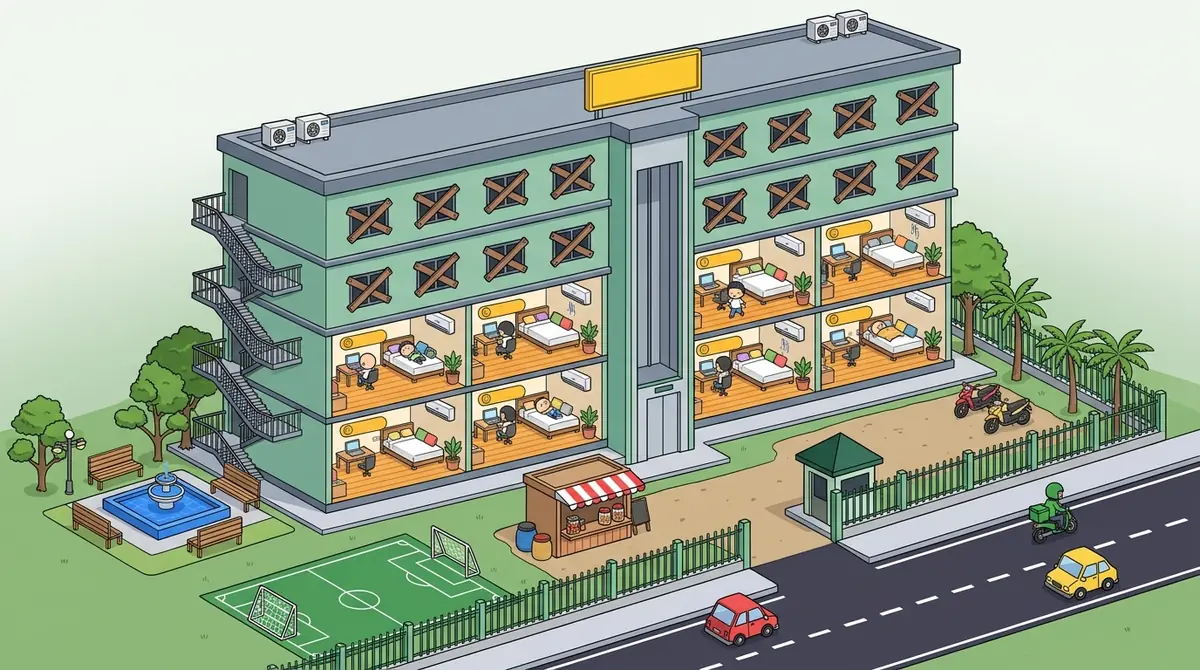
Papi Kost Simulator Game (also searched as Papi Kost Simulator or Papi Kos Simulator) is a real-time 2.5D isometric browser management and tycoon game where you step into the shoes of Papi or Mami to turn an inherited Indonesian boarding house (kos-kosan) into a bustling multi-floor property empire. Dispatch Tukang builders (who keep working even offline), run 4-tier ad campaigns (Pasang Iklan), chat with residents in WhatsApp-style threads, mediate hilarious chronology disputes like clothesline fights, stock your front-porch Warung, and expand up to 4 floors with parking, Pos Satpam security, and shared courtyard facilities.
Built for instant browser loading on both mobile phones and desktop computers, Papi Kost Simulator Game runs directly on this page with zero downloads, zero APK installs, EN/ID language switching, and automatic local + cloud save sync. Every core boarding-house decision—setoran rent collection, individual room furniture, tenant perks, monthly bills, and community drama—unfolds live on the interactive isometric street cutaway above.
How to Play Papi Kost Simulator Game
New to managing a kos-kosan as Papi or Mami? Follow these four steps to build a thriving isometric boarding house in Papi Kost Simulator Game.
-
Choose Papi or Mami & Collect Setoran
Click Play Now to name your kos and take over Floor 1. Tap floating gold rent coins above occupied rooms—or hit the Golden Money Bag on the right—to collect all pending setoran and Warung profits in one tap.
-
Run Ad Campaigns & Screen Applicants
Open Applicants (Calon Penghuni) to launch 4-tier ad campaigns from Campus Flyers to Social Media Ads. Compare each applicant's Budget vs. Rent and passive perks before tapping Accept into your best vacant room.
-
Chat, Mediate Drama & Manage Room Gear
Tap any isometric room to inspect its 4-tab drawer (Facilities, Tenant, Price, Care). Reply to WhatsApp-style tenant messages (Obrolan) to build 5-heart loyalty and read 3-step Chronology timelines to settle disputes like clothesline fights.
-
Dispatch Offline Tukang & Stock Your Warung
Assign Tukang builders to open new rooms, Floors 2–4, Lahan Parkir, Pos Satpam, and Lift repairs—construction keeps running even when you close the tab. Open your Warung Kopdes and restock Nutrisari, Kopi, and Air Galon for daily side profit.
Papi Kost Simulator Room Tiers & Landlord Strategy
Success in Papi Kost Simulator depends on knowing exact room margins, keeping builders busy, and timing your Warung, courtyard, and upper-floor investments. Every number below matches the live browser game above (amounts are monthly).
Room Building Costs by Floor
| Floor | Build a Room | Base Rent / Month | How to Unlock |
|---|---|---|---|
| Floor 1 | Rp 1.20M | Rp 650K | Starting floor (6 room lots) |
| Floor 2 | Rp 1.80M | Rp 780K | Rp 5.50M · Tukang ≈35s |
| Floor 3 | Rp 2.60M | Rp 950K | Rp 12.50M · Tukang ≈35s |
| Floor 4 | Rp 3.80M | Rp 1.20M | Rp 24.00M · Tukang ≈35s |
Room Furniture Upgrades (Fasilitas Kamar)
| Furniture | Cost | Extra Rent / Month | Extra Bills | Payback |
|---|---|---|---|---|
| Standing Fan | Rp 350K | +Rp 180K | — | ≈ 2 months |
| Study Desk & Wi-Fi | Rp 850K | +Rp 380K | — | ≈ 2.2 months |
| Split AC | Rp 2.20M | +Rp 720K | Rp 55K | ≈ 3.3 months |
| Private Bath | Rp 3.80M | +Rp 1.15M | Rp 25K | ≈ 3.4 months |
A room with Split AC and Private Bath becomes a Studio VIP and attracts high-budget tenants with special perks.
Five Proven Landlord Management Tips
- Fill rooms before you furnish them. Rent only flows from occupied rooms, so screen Applicants (or run a cheap Campus Flyers ad for Rp 120K) before spending on furniture.
- Keep both Tukang builders busy. Rooms, floors, Lahan Parkir, Pos Satpam, and the Lift all need a builder, and construction keeps running while the tab is closed. Furniture, Ruang Bersama, and Warung stock are instant.
- Stack building-wide bonuses. Lahan Parkir (+10%), Dapur (+5%), Laundry (+6%), Lounge (+8%), and Pojok Gym (+12%) multiply rent on every room at once, so they pay off faster as your Kos grows.
- Read the Kronologi before you judge. In disputes like the clothesline fight, the Morning–Noon–Afternoon timeline reveals the real culprit. Siding correctly earns mood and reputation; treating both to iced tea (Rp 100K) is the safe choice.
- Watch monthly bills. Each built room costs Rp 45K and each occupied room Rp 65K per month, plus AC, Pos Satpam, Ruang CS, and Lift upkeep. Keep about 1.5× your monthly bills as a cash buffer.
Controls, Devices & Community
Papi Kost Simulator is played by dragging to pan, pinching or scrolling to zoom, and tapping rooms, coins, and yard buildings. Use Space to pause and switch between EN and ID in the top bar. Want to suggest a new tenant drama? Visit our About and Contact pages, or post your highest Net Worth in the comments below.
Papi Kost Simulator FAQ
Quick answers covering browser play, mobile controls, saving, and early-game boarding house strategy.
Can I play Papi Kost Simulator Game free online without downloading an app or APK?
Yes. Papi Kost Simulator Game runs natively in your web browser right at the top of this page with instant loading and no download, APK, or account registration required.
Does Papi Kost Simulator work smoothly on iPhone, Android, and PC?
Yes. The 2.5D isometric street view supports drag-to-pan and pinch or mouse-wheel zoom, with floating HUD buttons sized for thumbs on phones and a wide view on desktop. Fullscreen and Theater modes are available below the player.
How does progress saving and the Landlord Rankings leaderboard work?
Papi Kost Simulator automatically saves your rooms, furniture, floors, Warung stock, builders, and day progress in your browser and syncs to the online player service. You can copy a Save Code from the Menu to continue on another device and post your Net Worth to the global Rankings board.
Why is the game searched as both Papi Kost Simulator and Papi Kos Simulator?
In Indonesia, boarding houses are commonly spelled both kos and kost (short for indekos). Both Papi Kost Simulator and Papi Kos Simulator refer to this Indonesian boarding-house landlord management genre.
What is the best early-game upgrade order in Papi Kost Simulator?
Rent out your empty Room 102 first, add a Standing Fan (Rp 350K) to occupied rooms for the fastest payback, then send a Tukang to build Rooms 103–106 on Floor 1 (Rp 1.20M each). Open the Warung Kos (Rp 5.0M) once a few rooms are full, and save Rp 5.5M for Floor 2.
How do I get the most out of the ROI Calculator and Glossary tools?
Use the Companion Workbench below the game. Next Best Buy ranks your best upgrades by payback months and runs them in the game with one tap. The ROI Calculator models monthly profit by floor, furniture, rent rate, and courtyard bonuses, and the Glossary explains kos terms like Setoran, Tukang, and Kasbon.
Player Comments & Landlord Notes
Share your highest Net Worth, favorite room upgrade order, or ask a question about Papi Kost Simulator.
No comments yet. Be the first landlord to post your Papi Kost Simulator Net Worth or early-game strategy.
Comments are currently closed on this page.